Best AI Video Editors for YouTube Creators (2026 Guide)
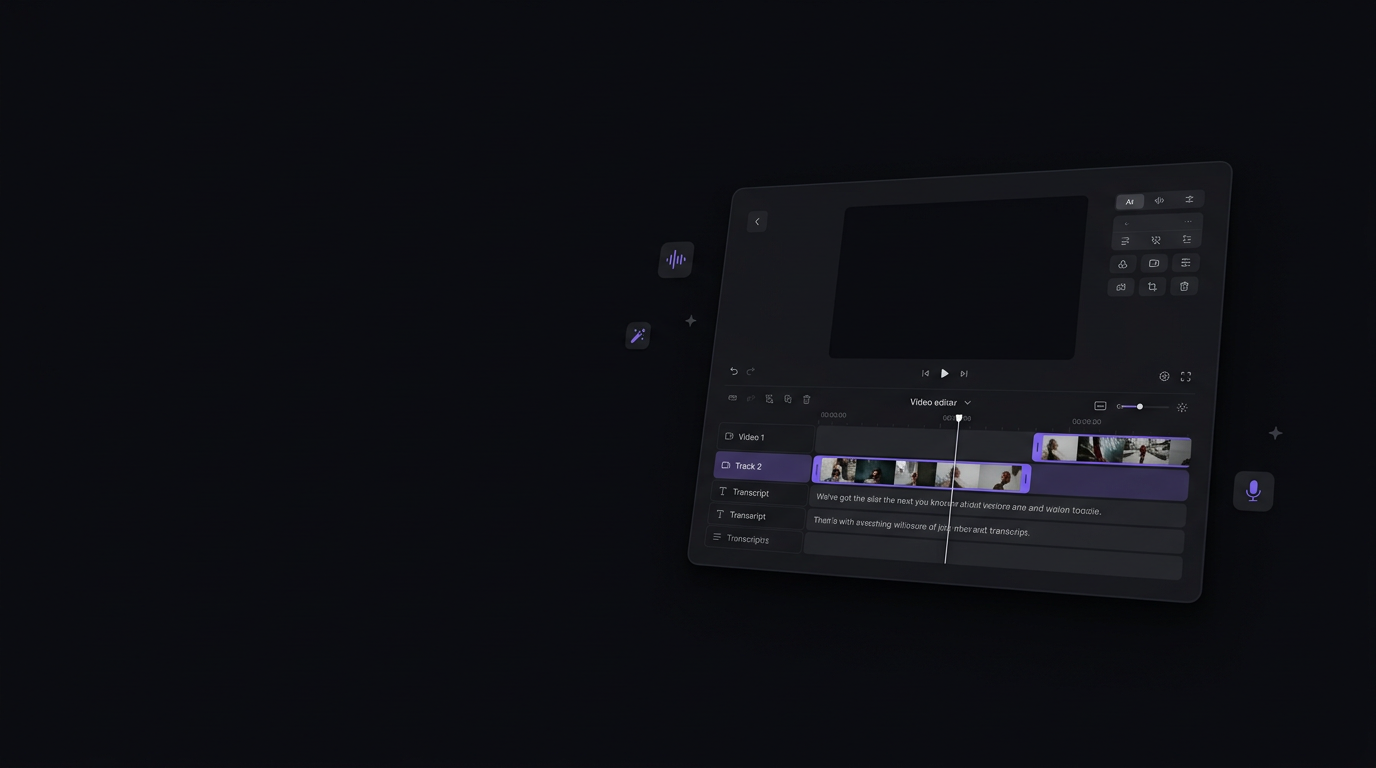
You just finished a 3-hour recording session. Now comes the real work: trimming the footage, syncing B-roll, fixing that stumbled sentence at minute 14, regenerating the voiceover, and polishing the motion graphics — all before your upload deadline.
For most YouTube creators, video editing eats more time than filming itself. In 2026, the best AI video editors aren't just 'nice to have' — they're the difference between publishing consistently and burning out. This guide reviews the top 7 AI video editing tools for YouTube, so you can pick the one that actually fits your workflow.
Table of Contents
Why YouTube Creators Need AI Video Editors
Channels that publish 2+ videos per week grow 3× faster than those publishing monthly. But a single 20-minute tutorial can take 8–15 hours to edit from raw footage to final export.
Modern AI video editors in 2026 can:
- Edit video by editing text — delete a word, delete the clip
- Generate or clone voiceovers without re-recording
- Automatically suggest and insert B-roll based on what you're saying
- Create motion graphics from a single prompt
- Repurpose long content into Shorts, Reels, and audiograms
How We Evaluated These Tools
| Criterion | What We Looked At |
|---|---|
| Long-form Support | Can it handle 15–60 min videos without breaking? |
| AI Edit Quality | Voice cloning, lip sync, seamless cuts |
| B-Roll & Visual AI | Auto-suggest, generate, or align visuals |
| Ease of Use | Learning curve for non-technical creators |
| Pricing & Value | Free tier, monthly cost, credit limits |
Top 7 Best AI Video Editors for YouTube (2026)
#1 Vync AI — Best All-in-One AI Video Editor for YouTube
🏆 Best for: Long-form YouTubers, podcasters, course creators, multilingual creators
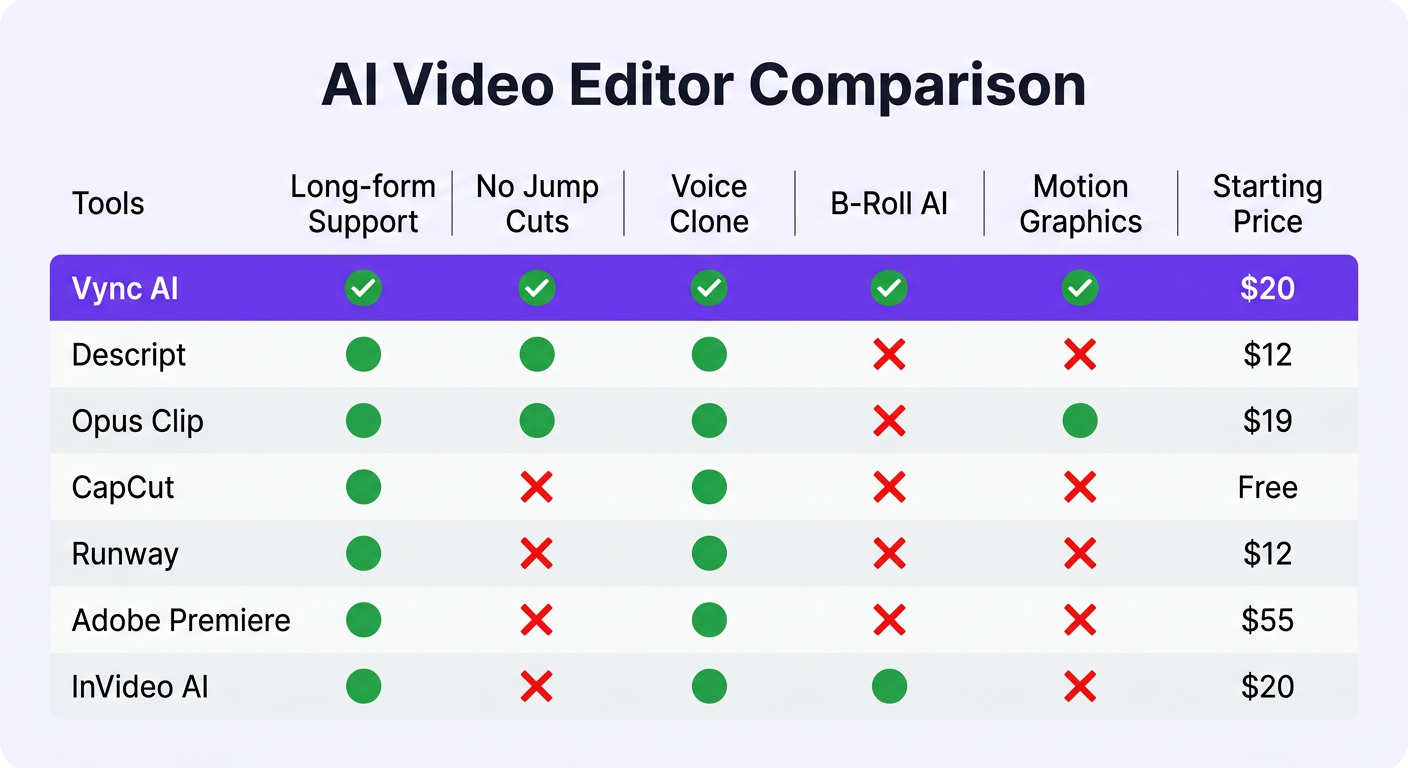
If you create content longer than 10 minutes, Vync AI is the most complete AI video editing tool in 2026. It combines Voice, Image, Motion, and Video into a single unified workflow — keeping you in full creative control at every stage.
Seamless Stitching — No Jump Cuts, Ever
This is Vync's biggest technical differentiator. Most text-based editors (including Descript) delete a clip when you remove a sentence — leaving a visible jump cut you have to cover with B-roll. Vync surgically modifies only the specific audio frames affected by an edit. Change one word? Only that segment regenerates. No jump cut. No manual patch job.
Semantic Visual Grounding
Click a keyword in your editor and Vync's AI automatically surfaces contextually relevant B-roll clips, stock footage, and motion templates in a side panel. You don't search for assets — the assets find you.
Parametric Motion Templates
Every AI-generated motion graphic is fully editable after creation. Same template, different video — just adjust parameters. All assets export via drag-and-drop directly into Premiere Pro, After Effects, or DaVinci Resolve.
Vync AI Pricing
| Plan | Price | Key Features |
|---|---|---|
| Free | $0/month | Core editing, watermarked export |
| Basic | $20/month | Voice Cloning, TTS, Lip Sync, AI Video, Motion Templates |
| Standard | $40/month | Priority processing + Advanced templates |
| Advanced | $66.67/month | 14,000 credits + Unlimited templates + Team assets |
✅ No credit card required — try free at vync.ai
#2 Descript — Good Text-Based Editor, But Shows Its Limits
🎙️ Best for: Podcasters, interview shows, basic screen recordings
Descript pioneered text-based video editing and deserves credit. Overdub (voice cloning) and filler-word removal are genuinely useful. But its editing model is semi-automatic: delete a sentence and it cuts the clip — leaving a visible jump cut you must manually cover with B-roll. No semantic B-roll matching, no AI motion graphics.
Solid for podcast editors. Long-form YouTubers will quickly outgrow it.
#3 Opus Clip — Best for Repurposing Long Videos into Shorts
✂️ Best for: Extracting viral short clips from existing long content
Opus Clip does one thing very well: takes a long video and extracts the most engaging 30–90 second clips for Shorts/TikTok/Reels. It scores virality potential, auto-adds captions, and reframes to vertical. Think of it as a repurposing tool — use it alongside Vync, not instead of it.
#4 CapCut — Best for Short-Form Creators and Beginners
📱 Best for: TikTok/Shorts creators, beginners, mobile editing
Free, mobile-friendly, and surprisingly powerful for short content. But CapCut hits a hard ceiling at 20+ minute videos — no semantic intelligence, no professional voice cloning, and the timeline doesn't scale to long-form work.
#5 Runway — Best for AI-Generated Video Clips
🎬 Best for: Visual artists, cinematic content, generative video
Gold standard for text-to-video and image-to-video generation. Not a video editor — no transcript editing, no voice pipeline. Think of Runway as a powerful asset generator that pairs with your NLE.
#6 Adobe Premiere Pro + AI — Best for Pro Editors in the Adobe Ecosystem
🎞️ Best for: Professional editors already in Creative Cloud
Firefly-powered AI in Premiere (Generative Extend, text-based editing, audio cleanup) adds real value for those already in the ecosystem. At $55+/month with a steep learning curve, it's not designed for AI-native workflows from scratch.
#7 InVideo AI — Best for Template-Driven Video at Scale
⚡ Best for: Faceless channels, agencies, script-to-video production
Paste a script, get a complete video with stock footage, voiceover, captions, and music. Fast output with acceptable results — but limited depth and creative control for long-form narrative content.
Side-by-Side Comparison: Best AI Video Editors 2026
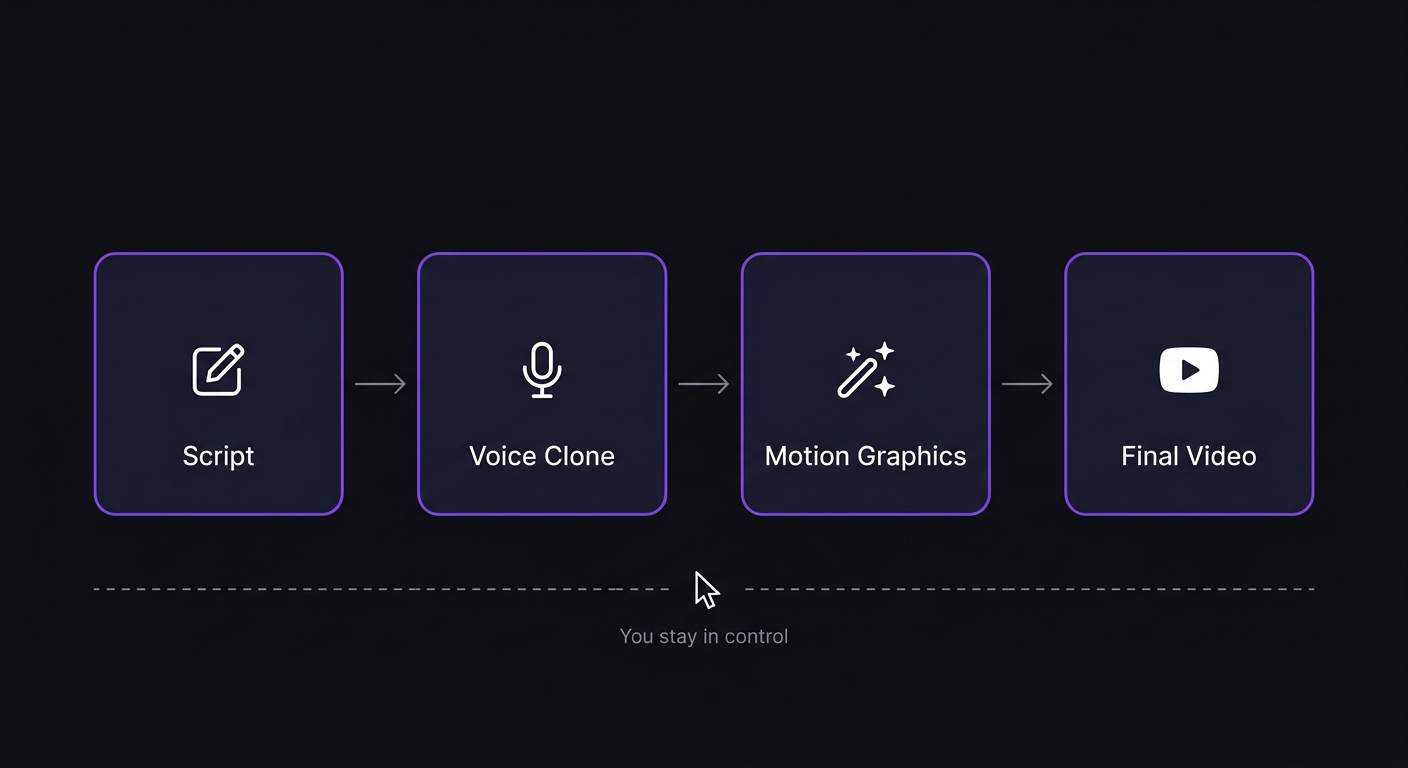
| Tool | Long-Form | No Jump Cuts | Voice Clone | Semantic B-Roll | Motion Graphics | Price |
|---|---|---|---|---|---|---|
| Vync AI ✅ | ✅ Full | ✅ Yes | ✅ Yes | ✅ Yes | ✅ Parametric | Free / $20 |
| Descript | ⚠️ Partial | ❌ Jump cuts | ✅ Overdub | ❌ No | ❌ No | Free / $12 |
| Opus Clip | ❌ Repurpose | N/A | ❌ No | ❌ No | ❌ No | Free / $19 |
| CapCut | ❌ Short-form | ❌ No | ⚠️ Basic | ❌ No | ⚠️ Basic | Free / $7.99 |
| Runway | ❌ No timeline | N/A | ❌ No | ❌ No | ❌ No | $12 |
| Premiere + AI | ✅ Full | ⚠️ Manual | ❌ No | ❌ No | ⚠️ Manual | $55+ |
| InVideo AI | ⚠️ Limited | ❌ No | ⚠️ TTS | ❌ No | ⚠️ Template | Free / $20 |
How to Choose the Right Tool for You
- Long-form YouTube (15–60 min): → Vync AI
- Podcaster moving into video: → Vync AI or Descript (Vync wins on output quality)
- Repurposing content into Shorts: → Opus Clip for chopping, Vync for polish
- Beginner / short-form: → CapCut
- Need AI-generated cinematic footage: → Runway
- Already a pro in Adobe ecosystem: → Premiere + Firefly AI
- Faceless / agency channel: → InVideo AI
Final Verdict: The Best AI Video Editor for YouTube in 2026
Vync AI comes closer than anything else on this list to a complete YouTube workflow in one tool. The competition has real strengths in their niches — Descript is approachable, Opus Clip is fast, Runway is visually stunning. But the YouTube creator workflow demands a tool that handles all of it without forcing you to juggle five apps.
Vync's seamless stitching eliminates one of the most persistent pain points in AI editing. Pair that with semantic B-roll matching, parametric motion templates, and a free plan requiring no credit card — and you have a genuinely compelling reason to switch.
🚀 Your next video doesn't have to take 12 hours.
👉 Try free at vync.ai — no credit card required. Basic plan from $20/month → vync.ai/pricing